Tag: Certificate Expiry Tracking

  • Original vs Digital Maritime Certificates

    Original vs Digital Maritime Certificates

    Your original certificates may be safely filed. Your company may have copies of every document it needs for your current vessel. So why keep a digital record of your own?

    Because neither the folder nor the company portal is designed to answer every question that follows you throughout a maritime career. Which version is current? What expires during your next rotation? Where is the evidence for a vessel you served on years ago? Can you find the answer when you have no connection?

    The discussion around original vs digital maritime certificates is often framed as a choice. For a working seafarer, the stronger approach is to understand the different jobs they do—and use both.

    The key distinction: An original or officially issued electronic certificate is evidence issued by the responsible authority. A personal digital copy is a tool for finding, checking, organizing, and preparing that evidence. Wave is built for the second job; it does not turn a scan into an officially issued certificate.

    Your Company Has a Crew File. You Need a Career Record.

    A good crew department checks qualifications for the vessel and assignment. It may arrange appointments, request renewals, maintain a crew matrix, and hold the documents needed for compliance. That work remains essential.

    But the company file serves the company’s operational needs. Your personal record has a different horizon. It follows you through vessels, ranks, training courses, time ashore, applications, and perhaps a change of employer. It includes details that may not be relevant to today’s joining but could matter greatly to your next step.

    Keeping your own digital record is not a vote of no confidence in crewing. It means you can see what you hold, check a detail without waiting for someone to send it back to you, and identify a question before it becomes urgent. When you receive a renewed certificate, you can update your own record and then provide the new version to the company through its required process. One action does not automatically complete the other.

    Three Different Things Can Appear on Your Phone

    The words “digital certificate” can hide an important difference:

    • A paper original: the physical document issued through the applicable process and carried or presented where required.
    • An officially issued electronic certificate: a credential issued electronically by the responsible administration or authorized body, with its required method of verification.
    • A personal scan or photograph: a copy you save for reference, preparation, or sharing when a copy is accepted. Saving it in an app does not change its legal status.

    The IMO’s guidelines on electronic certificates of seafarers address how an authentic and valid officially issued electronic certificate may be treated as an original on board when the stated conditions are met. They do not say that photographing a paper certificate creates one.

    Follow the issuing administration’s instructions and the requirements of the vessel, employer, and receiving authority. Keep physical originals or official electronic credentials available where required. Use a personal digital wallet to manage the information and copies around them.

    Before relying on a file: Ask whether the recipient needs an original, an officially issued electronic certificate, a certified copy, or an ordinary scan. These are different requests, even if the files look similar on a screen.

    What the Paper Folder Cannot Tell You at a Glance

    A folder can protect documents. It cannot remind you which certificate needs attention, distinguish a renewed medical from an old copy without opening both, or search years of vessel service while you are away from home.

    That is where Wave – The Seafarers’ Digital Wallet becomes useful. Save a readable copy and record the document’s title, issuer, number, and dates where applicable. Wave’s Smart Scan can help capture details from a document; you remain responsible for checking them against what was issued. Make the current version easy to identify and keep a superseded version separate when it still matters to your history.

    With recorded expiry dates in one place, you can see what deserves attention before a rotation or a period of leave. A reminder is a prompt to investigate and act—not a declaration that a certificate meets a particular flag, vessel, or employer requirement. Never invent an expiry date for a document that does not show one; verify any separate refresher or revalidation rule.

    For the practical steps behind a reliable document copy, see our guide to archiving training certificates securely.

    Your Career Is More Than a Stack of Certificates

    Think beyond the documents needed for your present contract. Years from now, you may need the dates, rank, and vessel particulars for a past assignment. You may need to locate a discharge entry, compare service periods, or prepare a record for an upgrade.

    Wave lets you keep vessel-level sea-service history alongside your professional documents. After sign-off, record the ship, role, and dates while you can still compare them with your discharge book, company letter, or other supporting evidence. Its Global Search helps you find records by what you remember instead of hunting through folders and email threads.

    A personal sea-service calculation helps with planning; it does not decide which time an authority will accept as qualifying service. Keep the official evidence behind important entries. Our Sea Service Tracker guide explains how to maintain that history.

    The Difference Becomes Obvious When You Are Away From Your Desk

    You do not need to be changing companies for a personal digital record to matter. You might be travelling, on leave, at a training centre, preparing an application, or at sea with unreliable connectivity. In any of those situations, a document that exists only in an office portal, old email, or folder at home is less useful to you.

    Wave is built offline-first, so saved records can be reviewed on your device without relying on shipboard Wi-Fi. Before travelling, open the specific certificates and supporting pages you expect to need, then test that you can still read them without a connection. Offline access helps you inspect and prepare a record; sending it to someone else still requires connectivity or another accepted method.

    And when a request does arrive, you do not have to forward your entire archive. Use search to find the relevant current record, check its details, and prepare only what the recipient asks for. Review any export before sending it, especially when it contains identity documents, medical information, signatures, or employment history.

    The practical test

    With your phone offline, could you:

    1. Find the current version of an important certificate?
    2. Read its number, dates, limitations, and every saved page?
    3. Find a previous vessel and check your recorded rank and service period?
    4. Identify what needs attention before your next rotation?

    If not, having the documents somewhere is not the same as having a working personal record.

    Keep the Originals. Take Control of the Record.

    Paper originals, officially issued electronic certificates, company systems, and your personal digital wallet are not competitors. Each has a role. The original or official credential supports formal verification. The company manages its assignment requirements. Your own digital record helps you stay aware of what you hold and retrieve the right information when you need it.

    Start with the documents that matter now: your current qualifications, medical, endorsements, and most recent vessel. Add a readable copy, check the recorded details, and identify the current version. Then build your older history gradually. You do not need to digitize an entire career in one evening to feel the benefit.

    Wave brings your certificate copies, recorded expiry reminders, Global Search, vessel-level sea-service history, exports, and offline-first access into one personal tool. It will not replace an original where one is required or approve a qualification on an authority’s behalf. It will help you stop treating your professional history as a collection of files you hope you can find.

    Your originals prove what you earned. Wave helps you stay ready to use the record.

    Keep the official documents required for your work—and put your personal career history within reach.

    Download Wave for iOS or Android

  • Mobile Records Versus Spreadsheets: Which Works at Sea?

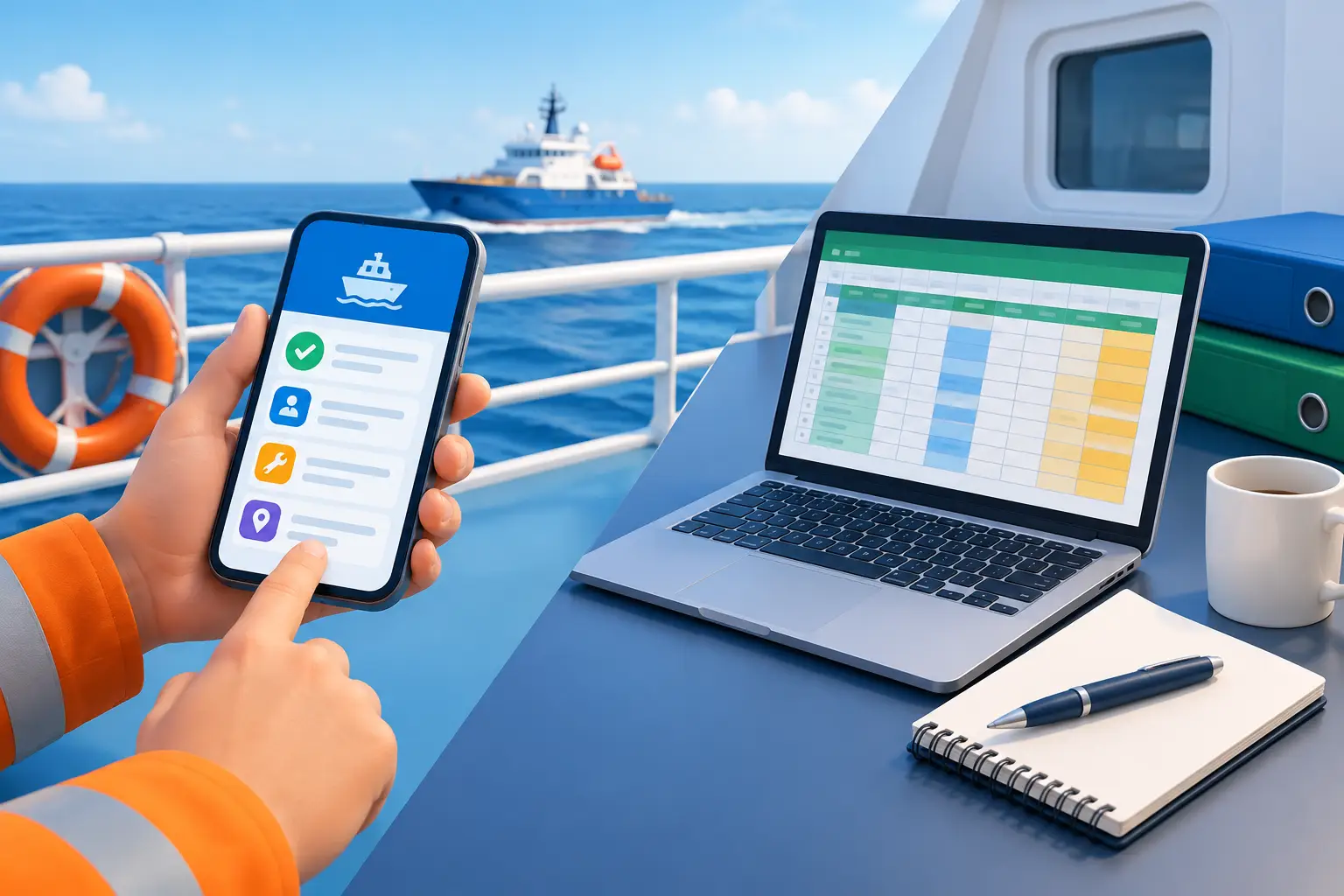
    Mobile Records Versus Spreadsheets: Which Works at Sea?

    Crewing asks for your current medical certificate. Your spreadsheet shows the expiry date—but where is the readable copy? Is it in an email, a cloud folder, or your phone’s photo library? And will you be able to find it with no Wi-Fi?

    That is the real test behind mobile records versus spreadsheets at sea. A list can tell you what you entered. A useful career record should also help you find the document, check the current version, review the date, and prepare what someone has requested.

    Try this now: Without opening your email, find your current medical, check its expiry date, and open every page of the saved document. Then find your last vessel’s rank and sign-off date. How many places did you have to search?

    Spreadsheets Are Useful—Until the Record Spreads Out

    A spreadsheet is flexible. You can list certificates, sort dates, calculate totals, and build a table for a particular application. If you manage a small number of documents and regularly update the workbook, it may serve you well.

    It is also useful for temporary tasks: comparing course dates, estimating a promotion timeline, or checking figures before submitting an application.

    The difficulty begins when the spreadsheet is only one part of the record. A Certificate of Competency appears in one row. Its scan is in cloud storage. The renewed endorsement came by email. Your latest sea-service letter is on another device.

    Everything exists, but a request for one complete, current record still sends you searching through several places. Over years of contracts and renewals, keeping those copies and dates aligned becomes work of its own.

    Keep the Document With the Details You Need

    For a seafarer, a certificate record is more useful when its title, issuing authority, number, applicable dates, and readable copy are organized together. When a new version is issued, you can check the details against the original and make the current copy easy to identify.

    Wave – The Seafarers’ Digital Wallet is built around those professional records. Smart Scan can help capture information from a document, and Global Search helps you find a record without remembering its filename or folder. Always check scanned details against the original before relying on them.

    Older copies can remain part of your history, but the document you would send today should be clear. For practical scanning and version-control tips, read our guide to archiving training certificates securely.

    See an Expiry Before It Disrupts Your Rotation

    A date in a spreadsheet helps only when you review it early enough to act. You can create color-coded cells and calendar reminders, but you must maintain that process whenever a certificate is renewed or replaced.

    Wave helps you monitor the expiry dates recorded in your documents. You can review approaching dates against your next joining and expected sign-off, then plan a medical appointment, course, or renewal during a workable period ashore.

    Check the requirement, not just the date: A reminder prompts you to act. The employer, flag administration, or relevant authority determines whether a document is accepted for a particular assignment. Do not invent an expiry date for a certificate that does not state one.

    Sea Service Is More Than a Formula

    A spreadsheet can calculate time from the dates you enter. But your experience consists of individual assignments: vessels, ranks, duties, and service periods. Those entries—and the evidence supporting them—matter when you prepare for an upgrade, endorsement, or new role.

    Record each vessel while its details are fresh. Check sign-on and sign-off dates against your discharge book, company testimonial, or other official evidence. Include particulars relevant to the qualification you may pursue.

    Wave organizes sea service at vessel level and helps you review your recorded career progress. Its Career Dashboard can show the history you have entered; an authority still decides which service qualifies for an official application. Our Sea Service Tracker guide explains why the evidence behind each period matters.

    Test the Whole Request Offline

    A spreadsheet saved locally can open without internet. But opening the workbook is only part of the test. Can you also find the current certificate copy, read every page, and check the vessel entry connected to a sea-service request?

    Wave is built for offline-first access to saved records. Before joining, put your phone in airplane mode and open the certificates and vessel entries you expect to need. Repeat the test after adding an important document. Changes can synchronize when you reconnect.

    Offline access lets you review and prepare information. Sending a file ashore still requires a connection or another method accepted by the recipient.

    Which System Should You Use?

    Keep a spreadsheet for flexible calculations, short-term planning, or a table prepared for a specific purpose. For records you need throughout your career, ask a more practical question: can I find the current document, check its details, and review the service behind my experience when I need to?

    Wave brings certificate copies, recorded expiry reminders, Global Search, vessel-level sea-service history, exports, and offline-first access into one personal app. Start with your current certificates and most recent vessel. You can add older verified records over time.

    Whichever tools you use, keep the information accurate. Review renewed versions, protect your device, and check an export before sharing it. Digital copies and personal calculations do not replace originals or official verification where those are required.

    Your next document request should take a search, not a reconstruction.

    Keep the record, its dates, and your vessel history ready in one place.

    Download Wave for iOS or Android

  • Should Seafarers Keep Their Own Certificate Records?

    Should Seafarers Keep Their Own Certificate Records?

    Your crew department has your certificates. It checks the requirements for your next vessel, manages the company’s crew file, and may arrange your medical appointment. If you have worked with the same company for years, it is reasonable to ask: why keep another set of records yourself?

    Because your certificates and sea service form a professional history that follows you through every vessel, renewal, promotion, and future opportunity. Your own record lets you check what you hold, find the right evidence, and see what may need attention—wherever you are working.

    The practical answer: Yes, seafarers should keep their own certificate records, even when crewing has copies. The company manages its assignment requirements. You maintain the record that follows your career.

    The Company Has a Crew File. You Need a Career Record.

    A company needs to confirm that you meet the requirements for a particular assignment. Its system may track your certificates, medical, endorsements, training, and travel documents against the needs of that vessel.

    Your questions often go further:

    • Which certificate expires during my next rotation?
    • Where is the endorsement I received several years ago?
    • What were my exact dates and rank on a previous vessel?
    • Which document supports that period of sea service?
    • Can I check these details onboard without an internet connection?

    Those questions matter even if you have spent decades with one employer. The company file contains what it needs for its work; your personal record should remain useful for your next application, upgrade, or career decision.

    If you change employer, move into another maritime sector, or need to review a detail during leave, you can work from a history that you have maintained yourself.

    What Should Your Personal Record Include?

    Start with your current certificates and the documents most likely to be requested for joining or renewal. For each certificate, keep a complete, readable copy together with its exact title, issuing authority, certificate number, issue date, and expiry date where one is stated.

    Include relevant pages of endorsements and supporting documents, such as your medical certificate, passport, seafarer identification or discharge book, and training records. Make the current version easy to identify. Older certificates may be useful as history, but they should not be confused with the document you would provide today.

    Then record sea service one vessel at a time: vessel name, your rank or role, sign-on and sign-off dates, and particulars relevant to your career path. Keep the discharge entry, company testimonial, or other evidence associated with that period.

    Begin with your current documents and most recent vessel. Add older records when you can check their details against the original evidence. Our guide to archiving training certificates securely explains how to check the quality and version of each stored copy.

    Catch a Gap While There Is Time to Act

    Your medical may be current today but expire before your expected sign-off. You may hold a renewed certificate while the older version remains in the company file. Or an application may reveal that a sea-service letter and discharge entry show different dates.

    A personal review gives you time to identify and clarify those details. Compare expiry dates with your next assignment, not only with today’s date. When a new document is issued, update your own record and send the current copy to crewing through the required channel. Adding it to your personal wallet does not update the company’s file automatically.

    Before the next joining: Check the current version, the dates printed on it, and whether crewing has received it. If a requirement is unclear, ask the employer or responsible authority before relying on an assumption.

    Check individual vessel entries against the evidence behind them as well. A personal sea-service total helps with planning, while the relevant authority decides which periods qualify for a certificate or endorsement. Our Sea Service Tracker guide shows why the individual entries matter.

    Keep the Record Available on Your Own Device

    At sea, access matters. A certificate may exist in an email account or company portal, but a poor connection can make it difficult to check a number, read a date, or review a previous vessel entry.

    With offline access, you can inspect saved records on your device without depending on shipboard Wi-Fi. Test the documents you expect to need before joining: disconnect, open each file, and make sure every important page is complete and readable.

    You still need connectivity or another accepted method to send a document ashore. Protect the device holding your records with a strong passcode or biometric lock, keep your sign-in details private, and share only what the recipient requests.

    Where Wave Fits Into Your Routine

    Wave – The Seafarers’ Digital Wallet gives you a personal place for certificate copies, recorded expiry dates, vessel-level sea-service history, and other professional documents.

    Smart Scan can help capture details from a document. Global Search helps you find the record you need. Offline-first access lets you review saved information at sea, while exports help you prepare relevant records for a request.

    Check scanned details against the original and review every export before sharing it. Wave helps you maintain and retrieve your information; the employer or responsible authority determines which documents and evidence it accepts.

    Make It a Small Habit After Every Contract

    A personal record stays useful when you update it at natural points in your career:

    1. Add a certificate when it is issued or renewed.
    2. Check its recorded details against the original.
    3. Send the current version to crewing when required.
    4. Update your vessel entry after sign-off.
    5. Keep the evidence supporting that service period.

    Your crew department manages the company’s requirements. Your own record helps you understand and present the career you have built. The easiest time to maintain it is while the documents and dates are in front of you.

    Your career follows you. Keep its records with you.

    Start with your current certificates and most recent vessel.

    Download Wave for iOS or Android

  • Best Tools for Crew Compliance: Keep Your Records Ready at Sea

    Best Tools for Crew Compliance: Keep Your Records Ready at Sea

    A crew department may already have your certificates, arrange your medical appointment, and check the paperwork for your next joining. That is exactly what a good crewing team should do.

    But its system is built to manage the company’s crew and assignments. Your professional record belongs to you. It follows you from vessel to vessel, through renewals, promotions, leave periods, and potentially to another employer. The best tools for crew compliance help you keep that personal record accurate, searchable, and available—even when you are at sea.

    The distinction: The company checks what it needs for a particular assignment. Your own digital wallet helps you see what you hold, what may need attention next, and where to find the evidence when someone asks.

    Why Keep Your Own Records If Crewing Already Has Them?

    Because the two records do different jobs. Your company’s crew file may be complete for today’s vessel, but you may want to check a certificate during leave, review a previous assignment, prepare for an upgrade, or respond to a request while travelling. You should not have to ask the office to reconstruct your own career history.

    A renewed certificate may be on your phone but not yet in the company file. An older sea-service period may be important to your next application even though it is not relevant to your current joining. Keeping a personal record gives you another way to check the details and raise a question early—not a substitute for the company’s review.

    Here are the tools and habits that make that personal record useful.

    1. A Certificate Wallet That Shows the Current Version

    Scans scattered across email, a camera roll, and old downloads are easy to collect but difficult to manage. A useful certificate wallet connects a readable copy with its title, issuing authority, certificate number, and issue or expiry date where applicable.

    When a certificate is renewed, you should be able to identify the current version without opening three similar files. Keep older copies when they support your history, but do not let them become the first result you send to crewing.

    Download Wave – The Seafarers’ Digital Wallet to keep your certificate copies and other professional documents in your own organized record. Its Smart Scan can help capture document details, but you should always compare extracted names, numbers, and dates with the original. If you want to improve the quality of your stored copies, see our guide to archiving training certificates securely.

    2. Expiry Reminders That Leave Time to Act

    Knowing that a document expires tomorrow is rarely helpful. A medical appointment, training course, endorsement application, or replacement document may have to fit around your rotation and time ashore.

    Record the dates printed on your documents and review them against your expected joining and sign-off dates. Wave helps you monitor recorded expiry dates so you can start the conversation or renewal process earlier. The reminder draws your attention to a date; it does not decide whether a certificate is accepted for a particular flag, vessel, role, or employer.

    Check before the next contract: Is the document current today? Will it remain suitable for the planned assignment? Has crewing received the renewed version? If any answer is unclear, verify it before travel is arranged.

    3. Vessel-Level Sea-Service Records

    Your experience is not just one accumulated number. It consists of individual vessels, ranks, duties, and dates that may need supporting evidence for an application or career move.

    After sign-off, record the vessel and your service period while you can still check them against your discharge book, company testimonial, or other official evidence. Include relevant vessel particulars where they matter to your career path. Wave helps you maintain a vessel-level history that is easier to search and review than a collection of old contracts.

    A personal total is useful for planning, but an authority decides which service qualifies for a particular certificate or endorsement. Keep the evidence behind every important entry. Our Sea Service Tracker guide explains that routine in more detail.

    4. Search and Access When the Connection Drops

    The value of an organized record becomes obvious when you need one document quickly. Perhaps you remember the vessel but not the service dates. Perhaps you need the latest medical rather than the previous scan. Search should help you get to the relevant record, then inspect it before sharing.

    Wave’s Global Search helps you find information across the records you maintain in the app. Its offline-first design also means saved records can be checked without relying on shipboard Wi-Fi. Before joining, test the specific documents you expect to need: open them without a connection and confirm that every page is readable.

    Offline access helps you find and prepare a record. Sending it to someone ashore still requires connectivity or another accepted method. For a closer look at that difference, read what a seafarer app should do at sea.

    5. Focused Exports Instead of an Entire Archive

    A request for one endorsement does not call for your passport, medical history, and every certificate you have ever earned. Find the requested current record, check its details, and prepare only what the recipient needs.

    Wave supports exports of professional records, including certificate and sea-service information. Review an export before sending it: check document versions, vessel names, ranks, dates, and readability. Confirm the recipient and follow the employer’s or authority’s required submission process.

    That is a practical privacy benefit of having your own organized archive: you can respond to a specific request without handing over everything you store.

    Where the Company’s Crew Matrix Fits

    A company still needs its own crew matrix, approval process, and assignment checks. It must determine whether the proposed crew meets the requirements of the vessel, flag, operation, and employer. Wave is not a replacement for that company system, and a document stored in your app is not automatically updated in the company’s file.

    The two sides work better when information is clear. When you receive a new certificate, add it to your personal record and send it to crewing through the requested channel. When an assignment requires something different, compare the instructions with what you hold and ask about any gap. Keep originals and officially required evidence available for verification.

    A five-minute personal readiness check

    1. Find your current medical and most important certificates.
    2. Review recorded dates against your next assignment.
    3. Check that your latest vessel and sign-off dates are recorded.
    4. Open essential files without an internet connection.
    5. Confirm crewing has received any newly issued document it requires.

    The Best Tool Is the One You Will Keep Current

    No app can approve a certificate, replace an original where one is required, or guarantee a joining. But a personal system can remove much of the searching and uncertainty around your own records. Add a certificate when it is issued. Update sea service after sign-off. Check dates before the next rotation. Those small actions build a career record you can actually use.

    Wave – The Seafarers’ Digital Wallet brings certificate organization, recorded expiry reminders, Global Search, vessel-level sea-service history, exports, and offline-first access into one app built for seafarers. Your company manages its crew file. Wave helps you keep your professional record with you.

    Your career moves with you. Your records should too.

    Start with your current certificates and most recent vessel. Build the rest one record at a time.

    Download Wave for iOS or Android